🦉 Thanatology part 4: Filesystem Forensics with the Exhume ToolKit.

This blog post is part of the Thanatology blog post series. If you haven’t checked it out, I recommend reading the following first:
- Thanatology part 1: Introduction to the Thanatology project
- Thanatology part 2: Multiple disk images formats handling using the Exhume ToolKit
- Thanatology part 3: MBR and GPT forensics with the Exhume ToolKit.
In the previous part, we discovered how to perform partition discovery for the MBR and GPT layouts. The next step in our digital forensics examination process of a disk image is to identify the type of Filesystem present on a given partition and extract relevant data. In this blog post, we will first dive into the concept of file systems in general. Next, we will explore how the Exhume toolkit is designed to propose a way to understand multiple kinds of file systems and introduce an abstraction module. Finally, some updates on the Thanatology project will be proposed.
Filesystems
As humans, we began to keep everything recorded and organised in the physical world to track our actions over time. If you are looking for a payment you made three months ago to someone who is claiming you didn't, you will be able to prove that the accusation is wrong by looking inside the record containing all of your expenses in time. If you forgot one ingredient for how to cook your favourite recipe, you'll be happy to check the record containing the recipe. In the end, to record and keep things organised, you need a physical and trustworthy tool, such as a pen and paper or a book.
Well, a book is fine for keeping your recipes, but the amount of information we have to keep track of is now enormous, and computers are addressing this need with success. Instead of having an enormous room with a lot of books, everything can now be shrunk and stored in digital long-term memory storage objects (Hard drives, SSDs, etc.).
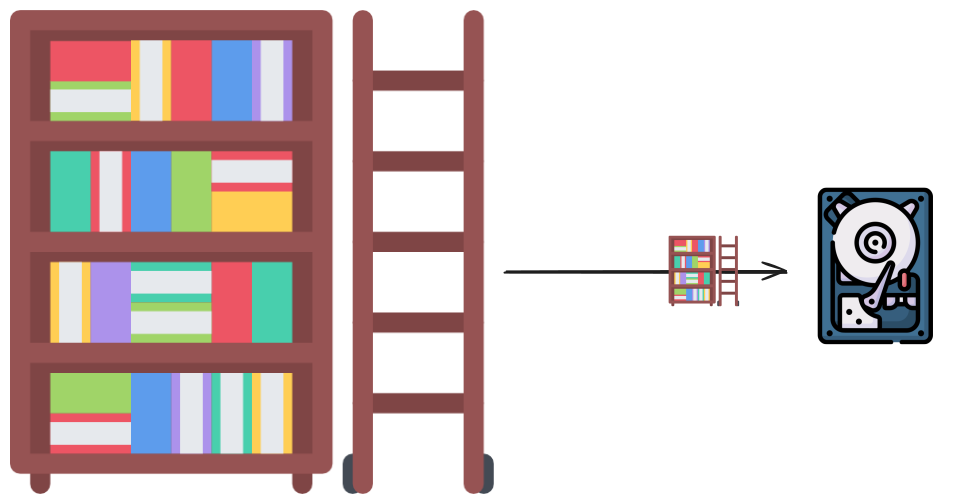
Now, how would you keep your library organised? How would you sort, categorise, and access them? What would you do if you wanted to get rid of the content of a book? Would you burn it? Just remove what was written on each pages to be able to write in the same book again?
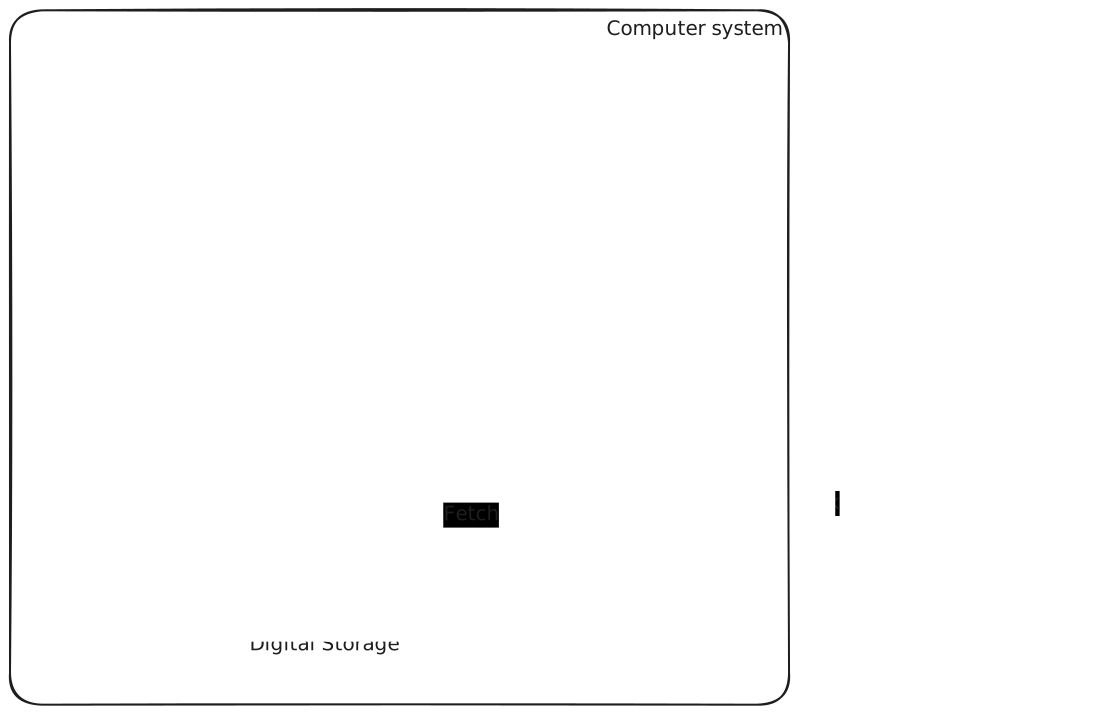
The fact is that now, as a user of an operating system, you don't really control the organisation of your "library" anymore; you are bound to ask to manipulate the data you want to interact with, with no say on how it is stored or organised. You could say: "On my machine, I'm managing my files and folders as you would in a library". But it is you working with a layer of abstraction provided by the operating system to manipulate data. When you click on the "Delete" button to remove a file from your disk, you are not really in control of how the file will be deleted (how your book will be destroyed); you are just "asking" your operating system to do it for you. It's as if you are now interacting with a librarian. You ask for information from a book, and the librarian will take care of it for you. They know the organisation of the library and how to access the information you want, so you don't have to worry about it anymore. You are trusting this person to manage the library well.
In our digital world now, a filesystem is an organisational methodology used to keep your files organised on a digital storage solution. An like there are different ways to keep a library organised, there is different ways to manage files on a storage medium. Therefore, other kinds of file systems exist. The operating system's job is to understand how to work with the file system to provide data to the end user. In our case, the librarian is the operating system.
File systems in digital forensics
Let's say you are an investigator. A person is under arrest for a crime; the information that he is guilty is potentially stored in his personal library, managed by his librarian. However, you will not be able to ask the librarian anything, as you have frozen the place, and the librarian of the suspect cannot be approached. You now need to understand how the library is organised: how books are stored and accessed, and how they are shelved. If they are not well shredded, you can maybe retrieve some pages.
In the digital forensics world, the same principle applies; you cannot directly investigate using the suspect's operating system. Instead, you freeze the data to ensure integrity is preserved.
I'm using the word "freeze" , but in practice, in the digital forensics field, that means we perform analysis in a way that does not modify the evidence:
- We keep access read-only (write-blocking for physical drives, or read-only handling for images).
- We avoid using the suspect operating system to interpret the disk, and we avoid any operation that could modify metadata.
Then, you need to understand what kind of file system is used and how it manages the records (files) and organises them. The better understanding you have of a filesystem, the better you'll be able to retrieve information. By design, some file systems do not completely delete records for performance reasons, for example.
Returning to our library metaphor, if you had multiple library experts on your team who understand various library organisations, you could ask them to retrieve a specific record for you. In the digital forensics, that would be the toolsets of a digital forensics tools to understand multiple kinds of file systems.
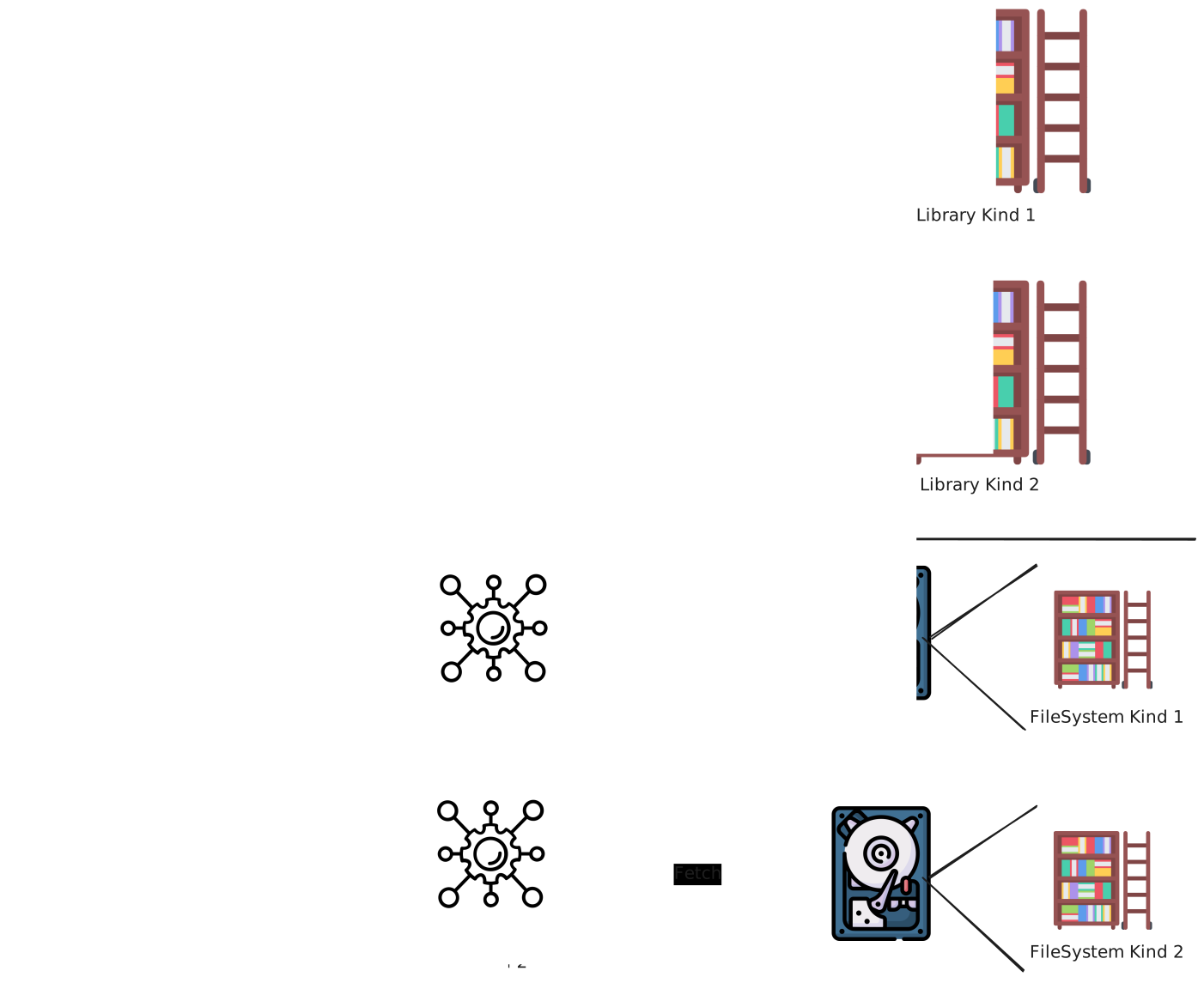
The first quick conclusion we can make is: the better a digital forensics investigator understands how a filesystem works and its inner workings, the better they will be able to extract the data they need to build their case.
Kinds of Filesystems
There are many file system types, each providing ways to store data depending on the goals. Not all of the filesystems can be "understood" by a single operating systems. Operating systems are usually built to work with some specific file systems. For example, Microsoft Windows, by default, works with the New Technology File System (NTFS) but cannot work with the Extended Filesystem Version 4 (ext4) by default, whereas the Linux Operating system, for example, can work with ext4. As a digital forensics investigator, the better we understand a file system and how the operating system uses it to store information, the better we can build the dedicated tools to extract artefacts. There are many file system types, you can find an exhaustive list here: https://en.wikipedia.org/wiki/List_of_file_systems
The Exhume ToolKit - Filesystem investigation
To be able to interact with these types of filesystems from a digital forensics perspective, we have architected the exhume framework to provide the digital forensics experts and investigators with the following capabilities:
- Dive into a file system type and extract information related to its specific characteristics.
- Propose API functions for each module to develop specific extraction modules that automate artefact collection.
- Provide a higher level of abstraction that normalises information across filesystem types.
Exhume Filesystem modules
The principle is as follows: for each filesystem type, an exhume module is created, providing a Command Line Interface for some investigators and API functions for investigators with developing skills. This way, each exhume module can be customised to propose unique features related to this specific file system type. An expert in a particular kind of file system can contribute to developing specific functionalities that enhance its capabilities for a particular digital forensic task.
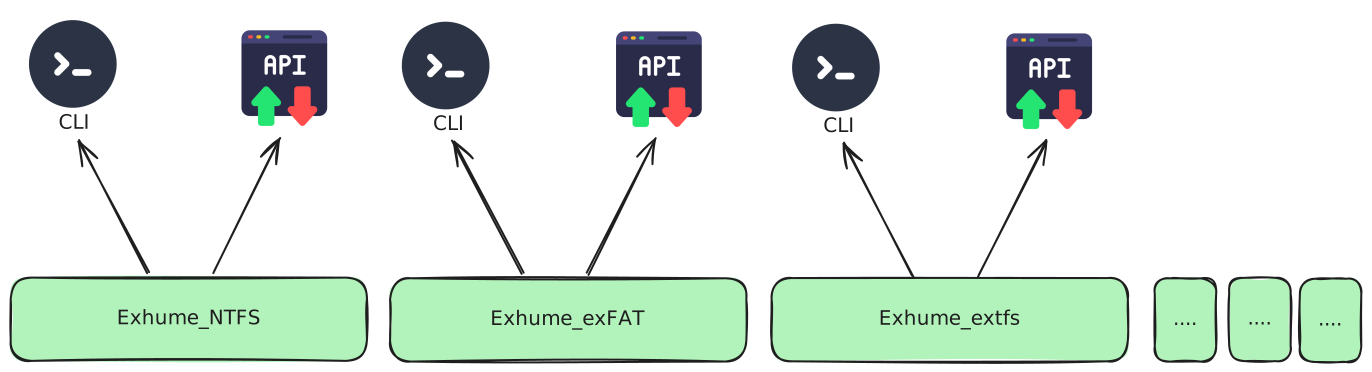
The Exhume Toolkit currently propose three filesystem modules:
- ExFAT (exhume_exfat)
- Extended Filesystem (exhume_extfs)
- New Technology Filesystem (exhume_ntfs)
Each is capable of understanding the associated file systems and can extract specific data. They can be enhanced by the community at any point, making them very flexible.
An Example
Let's see an example. I have here a digital forensics disk image. I have discovered it is using a Linux Filesystem using the exhume_partitions module's CLI.
Using the following command: exhume_partitions --body workshop-kali.E01
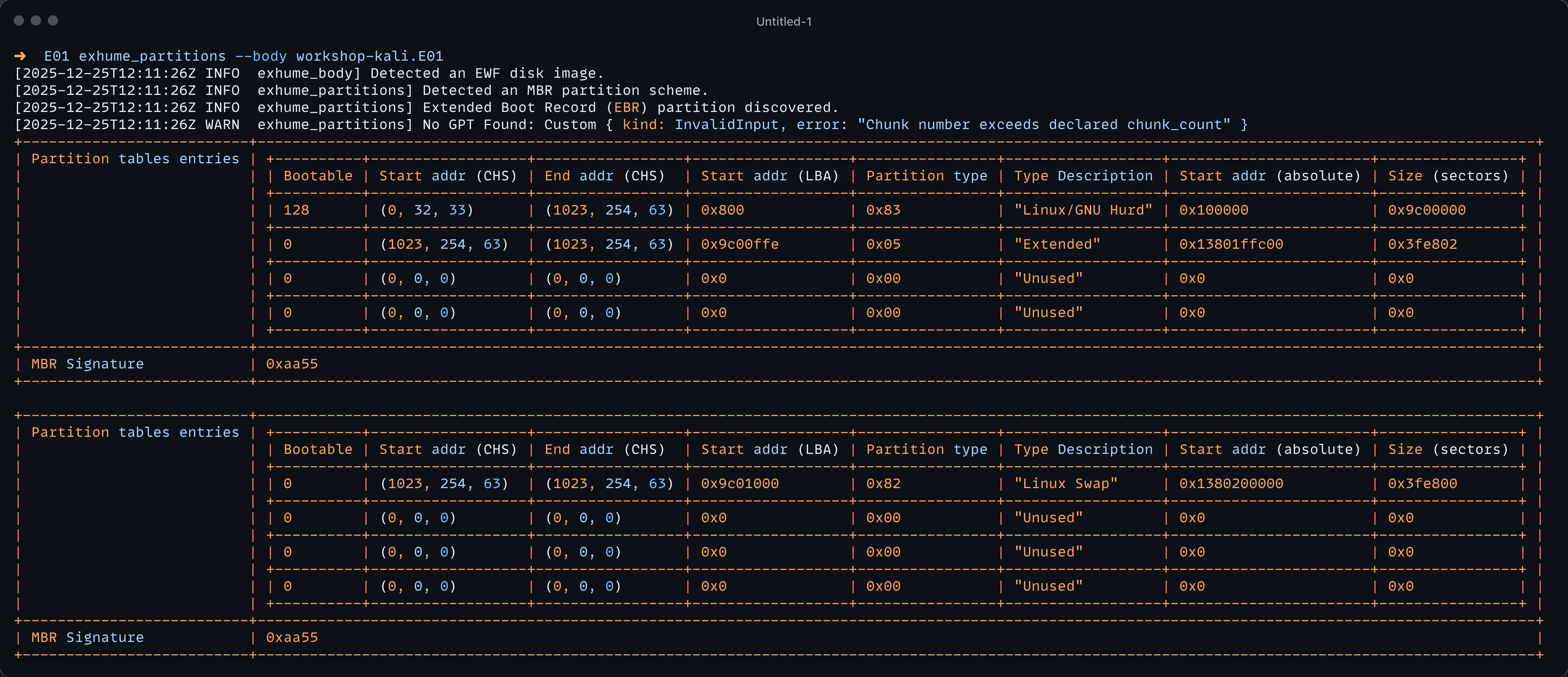
In this situation, the Linux Filesystem starts at the absolute address offset 0x100000 and has a size of 0x9c00000 sectors. Let's try to use the exhume_extfs module. First, we need to install it with the following command:
cargo install exhume_extfs
Next, we can get information about the cli using the following command:
exhume_extfs --help
Exhume artefacts from an EXTFS partition.

Usage: exhume_extfs [OPTIONS] --body <body> --offset <offset> --size <size>

Options:
  -b, --body <body>            The path to the body to exhume.
  -f, --format <format>        The format of the file, either 'raw' or 'ewf'.
  -o, --offset <offset>        The extfs partition starts at address (decimal or hex).
  -s, --size <size>            The size of the extfs partition in sectors (decimal or hex).
  -i, --inode <inode>          Display the metadata about a specific inode number (>=2).
  -d, --dir_entry              If --inode is specified, and it is a directory, list its directory entries.
      --dump                   If --inode is specified, dump its content to a file named 'inode_<N>.bin'.
      --superblock             Display the superblock information.
      --journal                Display the journal block listing (jls).
  -j, --json                   Output specific structures (superblock, inode) in JSON format.
  -l, --log-level <log_level>  Set the log verbosity level [default: info] [possible values: error, warn, info, debug, trace]
      --recover                Scan all free inodes and carve deleted files
  -t, --timeline               Print a JSON timeline assembled from the ext4 journal
  -h, --help                   Print help
  -V, --version                Print version
In the Extended File System, the superblock holds important metadata about how this file system stores files. Let's try to print the superblock information using the following command:
exhume_extfs --body workshop-kali.E01 --offset 0x100000 --size 0x9c00000 --superblock
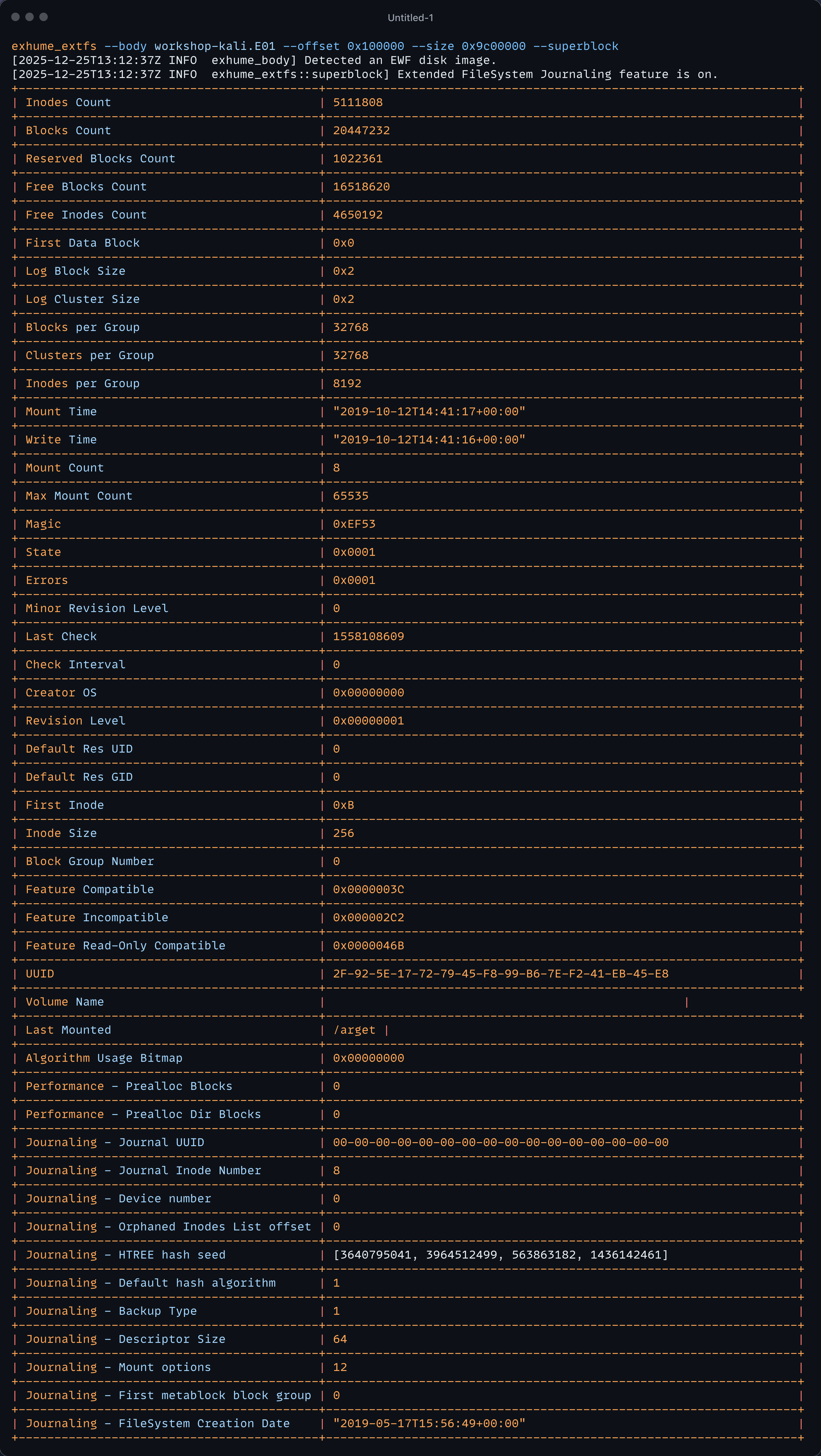
To fully understand the output, the digital forensics investigator must be educated on the internals of this specific file system. Therefore, the exhume module dedicated to this file system aims to provide everything the experts need to retrieve the information.
In the extended file system world, files and directories are all represented and identified as "inodes". The root directory has the inode number 2. We can display the Inode 2 directory entry members with the following command:
exhume_extfs --body workshop_kali.E01 --offset 0x100000 --size 0x9c00000 --inode 2 --dir_entry
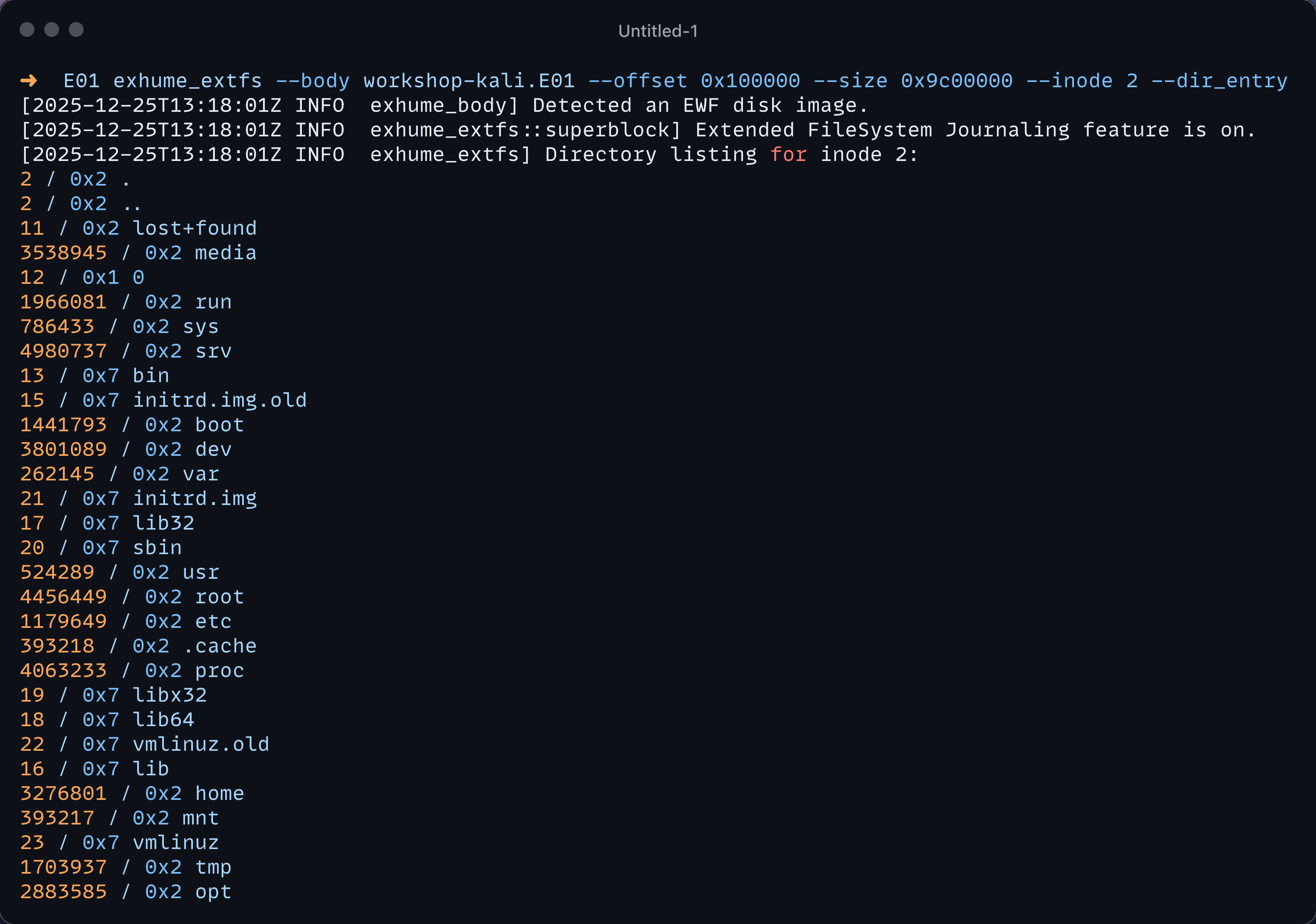
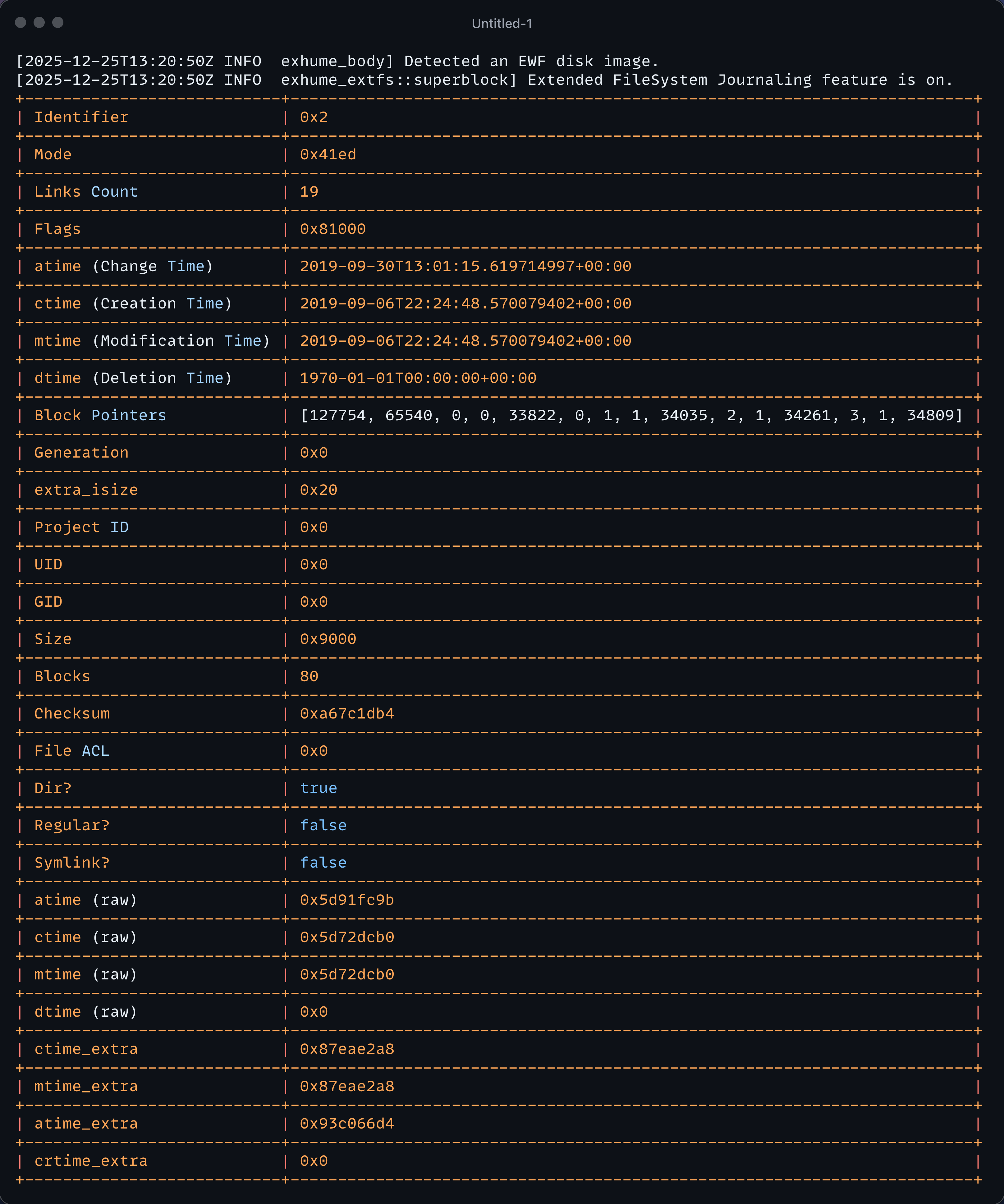
Here we are witnessing the list of inodes in the directory entry of the inode number 2. We can also, for example, retrieve the metadata about inode two just with the following:
exhume_extfs --body workshop_kali.E01 --offset 0x100000 --size 0x9c00000 --inode 2
Finally, we can utilise the --recover unique flag of this module to attempt to recover files based on research conducted on this filesystem.
[2025-12-25T15:00:15Z INFO  exhume_body] Detected an EWF disk image.
[2025-12-25T15:00:15Z INFO  exhume_extfs::superblock] Extended FileSystem Journaling feature is on.
[2025-12-25T15:00:15Z INFO  exhume_extfs] Scanning filesystem for deleted files…
[2025-12-25T15:09:54Z INFO  exhume_extfs] Recovered 5 deleted file(s)
inode 4458900  inode_4458900.bin               (131072 bytes)
inode 4458901  inode_4458901.bin               (1892 bytes)
inode 4458902  inode_4458902.bin               (1892 bytes)
inode 4458907  inode_4458907.bin               (1892 bytes)
inode 4458908  inode_4458908.bin               (1892 bytes)
Exhume Filesystem abstraction module
The filesystem-specific modules are functional for experts who have a deep understanding of their layout. However, digital investigators usually want to be able to quickly extract files to index them in a normalised way and get into details maybe later, depending on the context.
For this, I had to think of a top-level filesystem extraction module to automatically detect the filesystem and propose basic digital forensics features that can be achieved by combining the shared characteristics across filesystems. The following was identified:
- Filesystem metadata extraction
- Filesystem enumeration
- File metadata extraction
- File content extraction
We have abstracted the concepts of a File and a DirectoryEntry using the power of Rust traits. Using this methodology, each filesystem type implemented in the future can also implement the Filesystem Trait of exhume_filesystem.
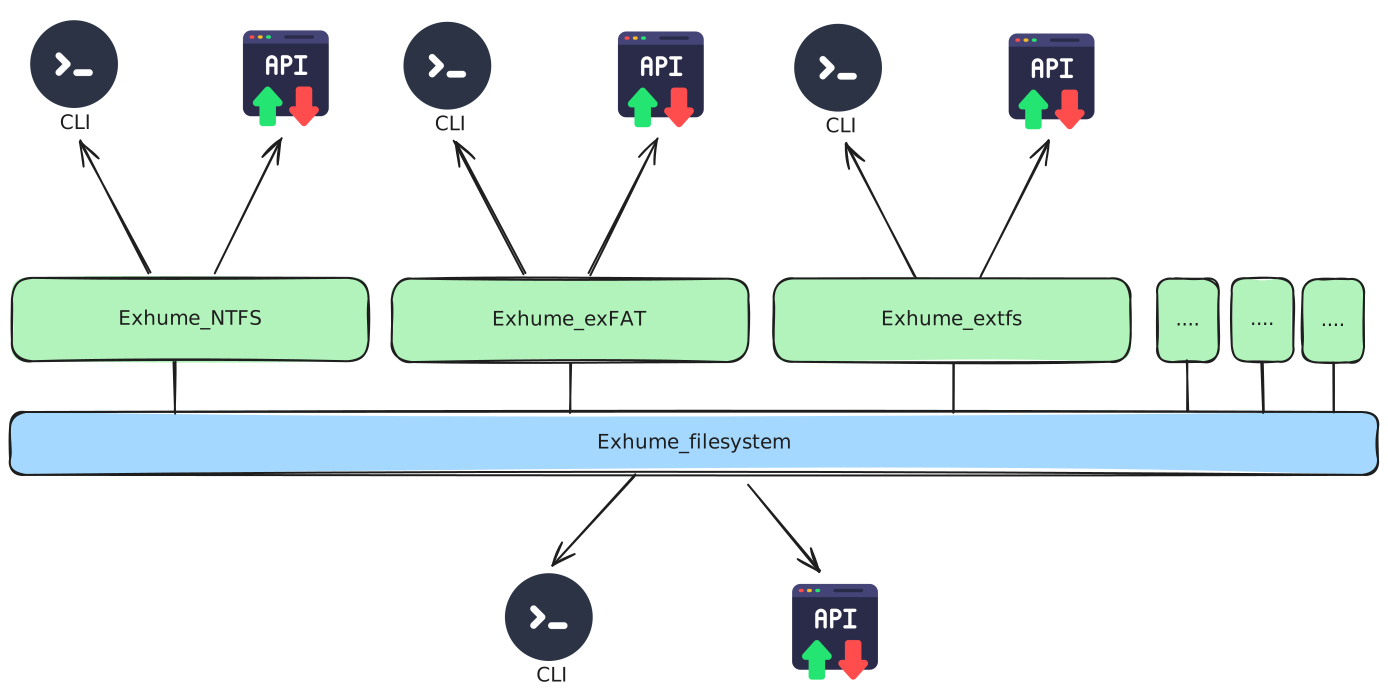
exhume_filesystem provides a unified interface across multiple filesystems. However, a normalised model will always hide important filesystem-specific semantics. For example:
- Timestamps are not equivalent across file systems (and even within a single file system). "Deletion time" may not exist or may have different update rules.
- Identity differs: ext4 uses inodes, NTFS uses MFT record, and exFAT uses directory entry structures. We use the identification system of the filesystem itself when present and create our own when it is not present.
- Some features are filesystem-specific (e.g., NTFS Alternate Data Streams) and have no direct equivalent in other file systems.
For this reason, the abstraction layer focuses on everyday operations (enumeration, basic metadata, content extraction) while each filesystem module can expose extended/raw metadata for deeper analysis.
Example
To use exhume_filesystem, we can install it with the following command:
cargo install exhume_filesystem
Similarly, we can execute this module on our disk image and enumerate all files using the --enum flag.
Using our previous disk image following command is used: exhume_filesystem --body workshop-kali.E01 --offset 0x100000 --size 0x9c00000 --enum
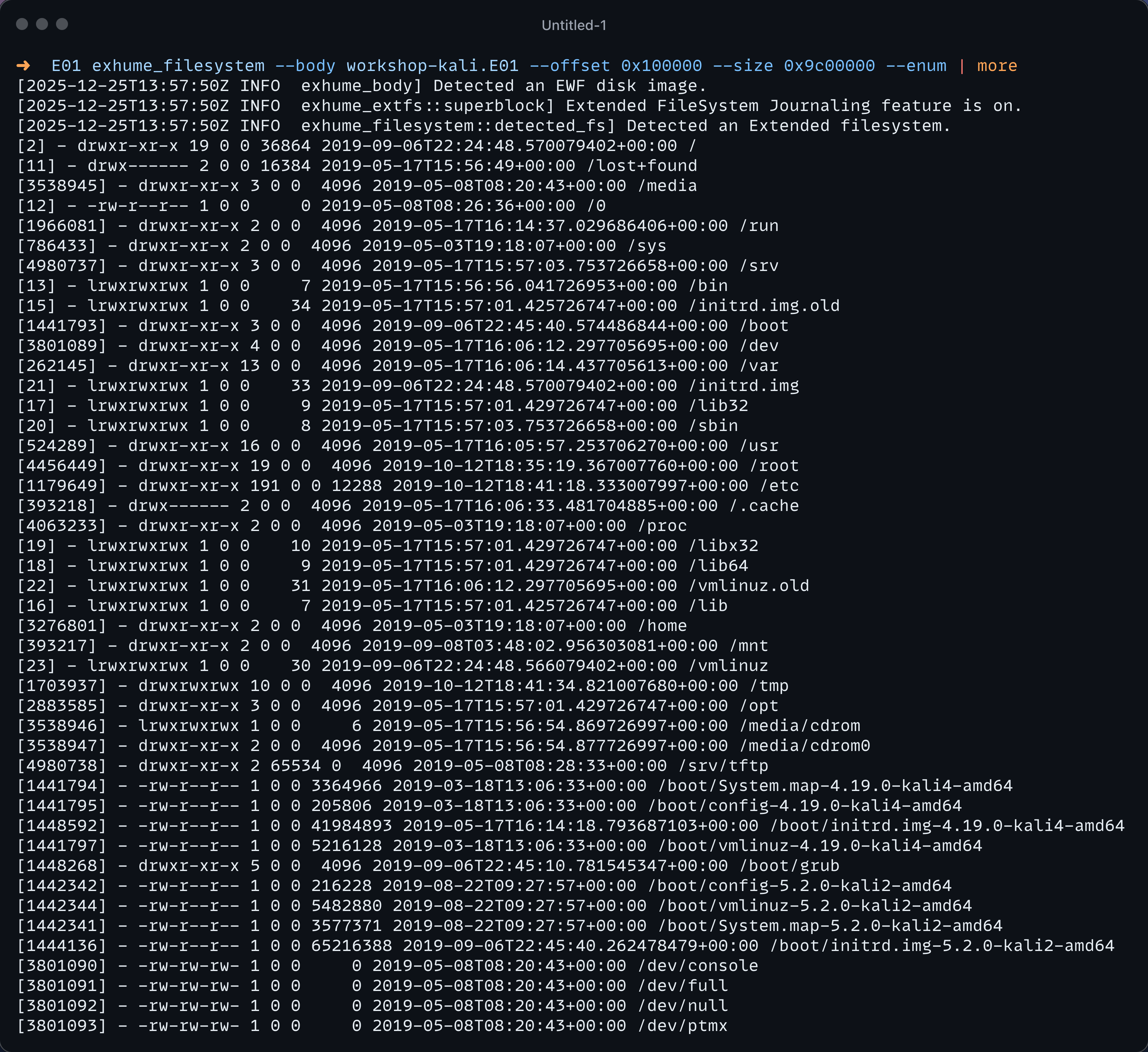
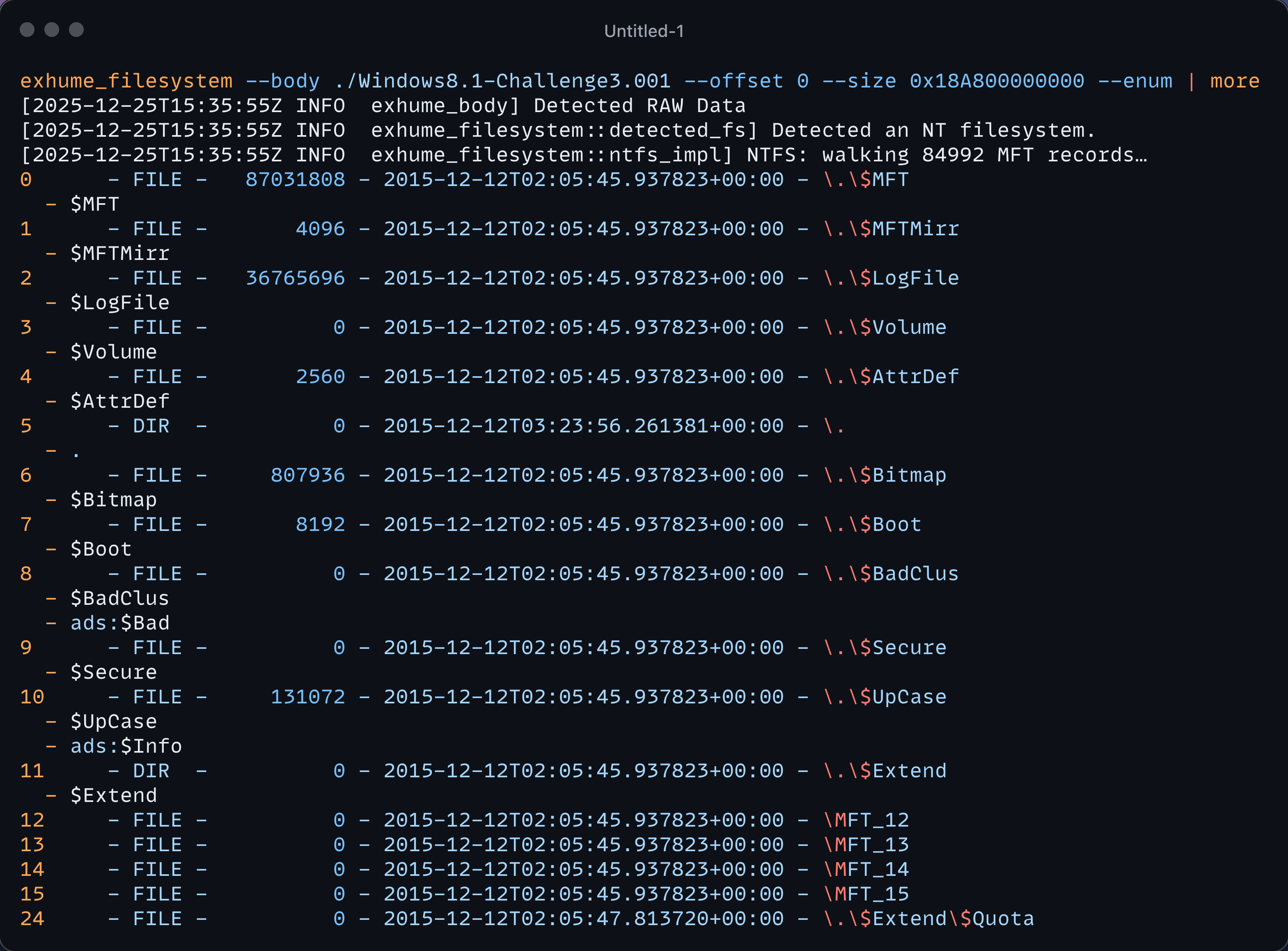
You can see that exhume_filesystem detects the filesystem used and, if compatible, executes the filesystem enumeration function related to the extended filesystem in that case. The following output is the result ran on an NTFS file system.
Bridge to the Thanatology project
As mentioned in the first part of this series, one of my goals is to create a high-level Digital Forensics investigation tool for investigators, usable by people with different levels of expertise. The Exhume Toolkit API is used as the core engine for this project.
The decision was made to divide the investigation of the disk image into multiple stages, which I will describe below.
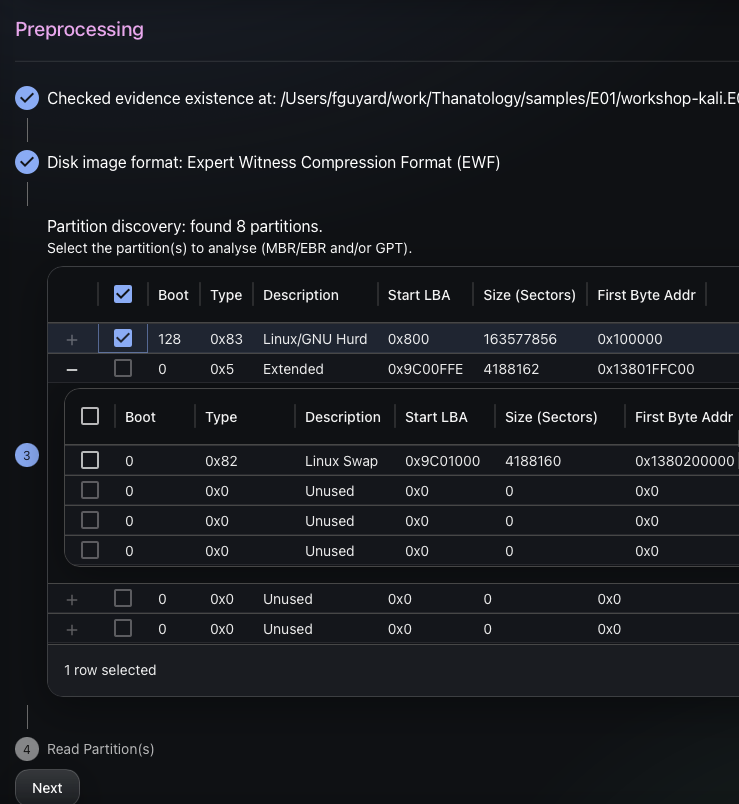
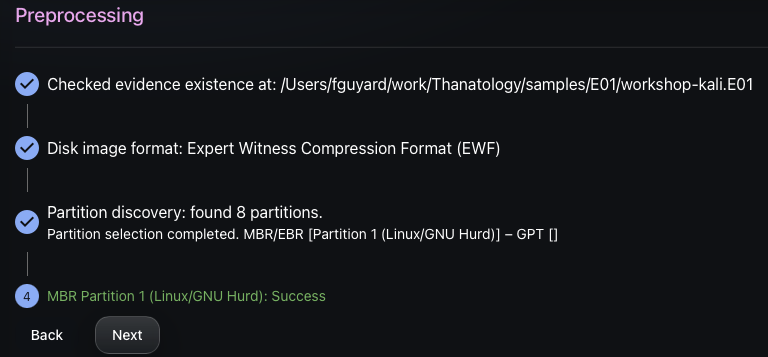
Step 1: Filesystem identification
When choosing the partition to process by the Thanatology engine, the exhume_filesystem detection library is used to check if the targeted filesystem is supported.
Step 2: Filesystem indexation
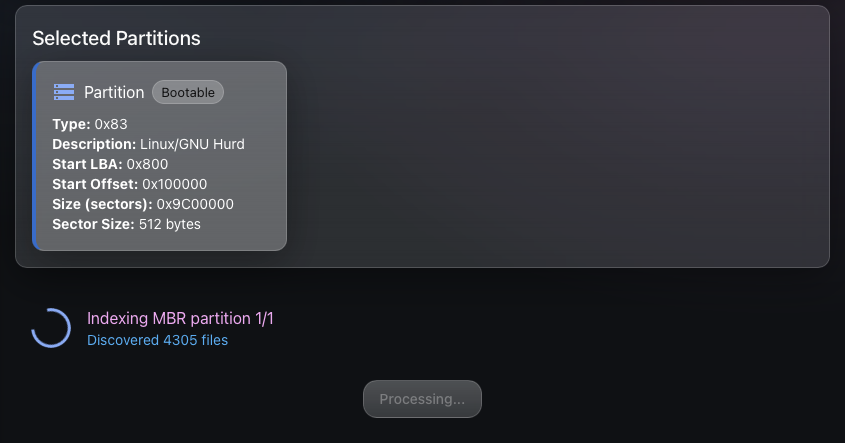
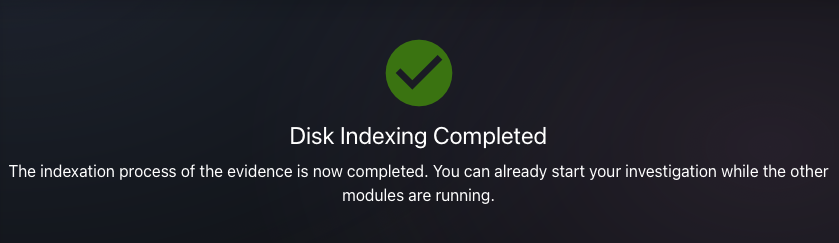
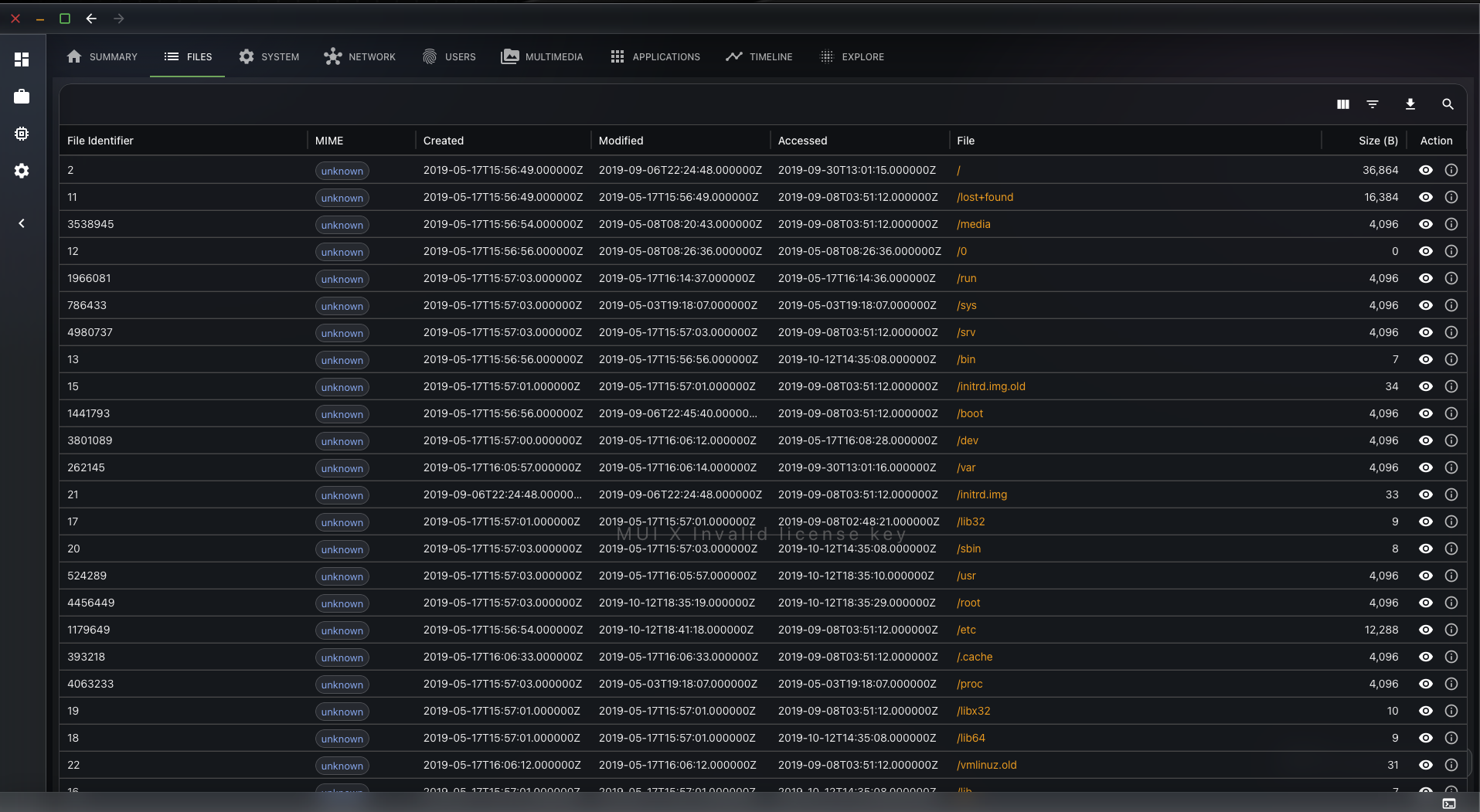
Using the exhume_filesystem API, we can enumerate every file and index them in a SQLite database to perform other actions on them later and display the extracted metadata to the user.
Thanatology will first discover and index all the files in the SQLite database, then execute other analysis dedicated modules, such as file type identification, artefact extraction, and more, in due time.
Step 3: Visualisation
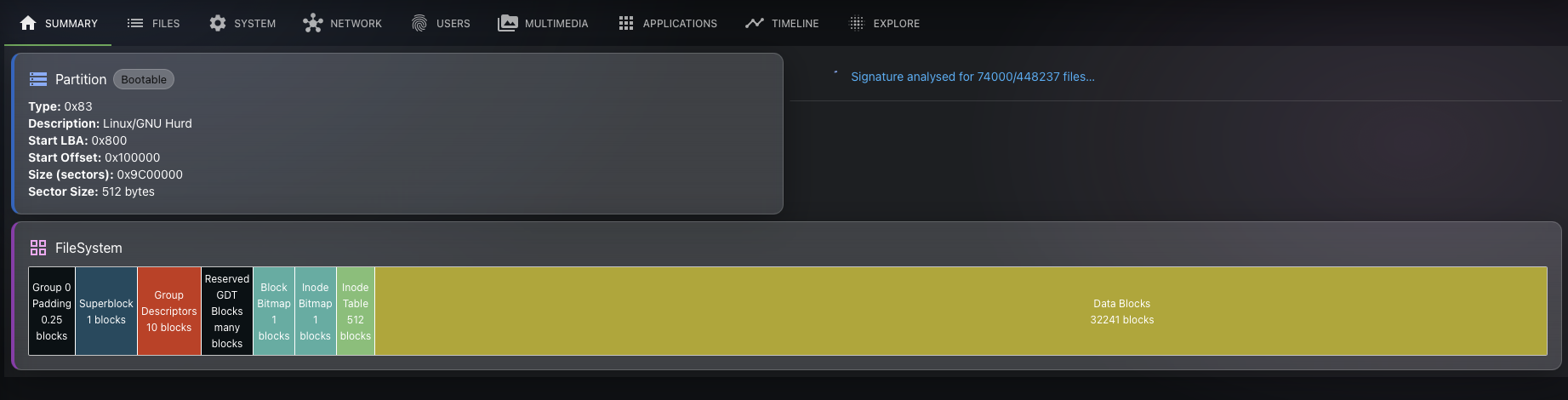
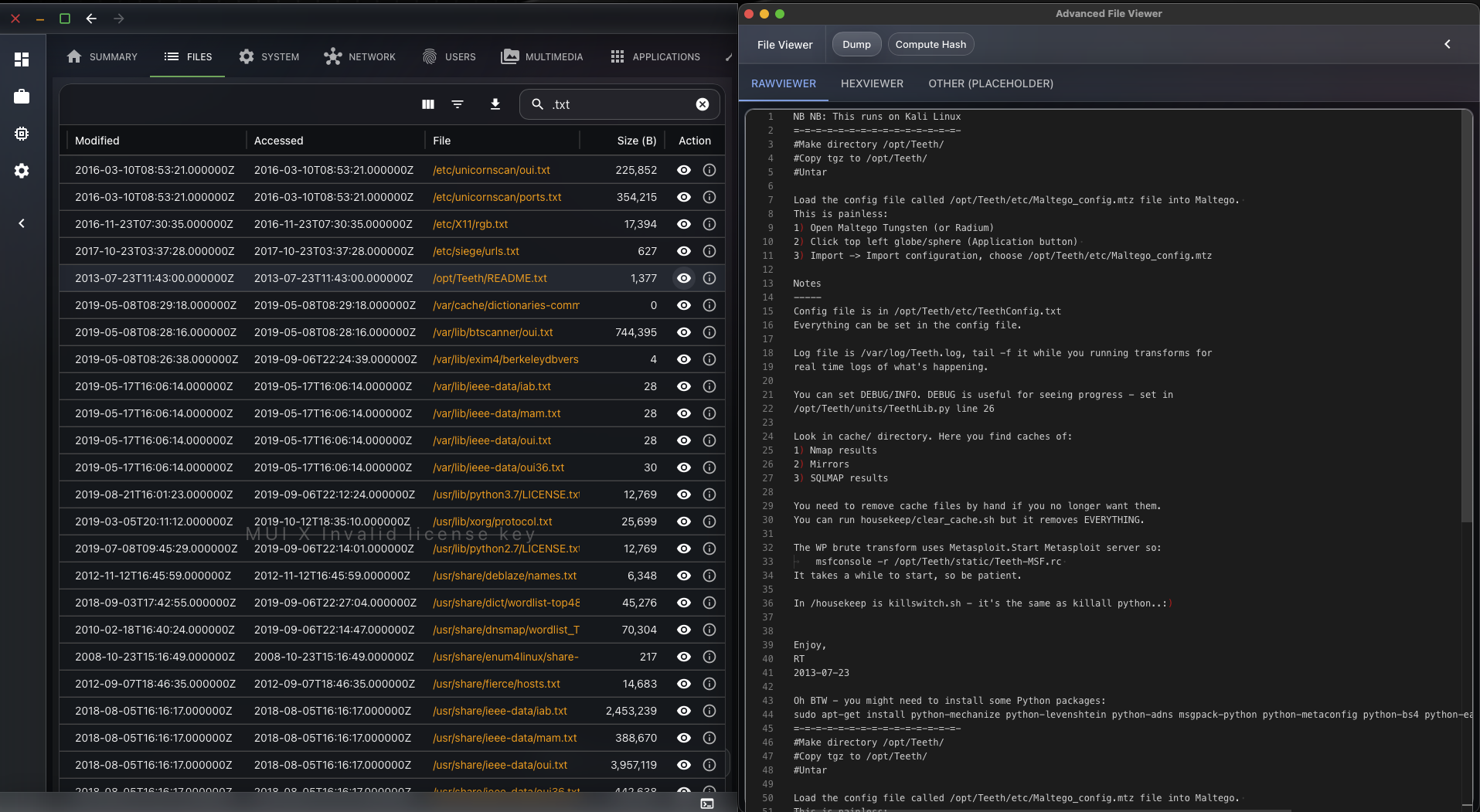
Now that the files are indexed, we can provide the user with a visualisation interface. He will be able to interact with the file. If the investigator wants to fetch the content of a file, he will be able to do so. The exhume_filesystem API will be used behind the scenes to fetch the data.
Conclusion
In this part, we moved from partition discovery to filesystem-level forensics:
- We introduced why investigators need to understand filesystem on-disk structures.
- We showed how Exhume’s filesystem modules expose deep, filesystem-specific views and capabilities.
- We presented exhume_filesystem, a higher-level layer that can detect supported file systems and provide standard capabilities, such as enumeration, basic metadata extraction, and file content extraction.
The abstraction layer intentionally focuses on common denominators; some filesystem-specific semantics (multiple timestamp sources, NTFS ADS, special metadata) are best handled in the dedicated modules.
In the next part of the series, we will build on the indexed filesystem view to automate artefact extraction and analysis modules (file type identification, targeted parsers, and timeline-oriented workflows). We will link to Thanatology’s database-backed approach.
If you want to get involved into this project, we have created a Discord Community Server that you can join using the following link.